
Automation Fundamentals · Operator Interfaces · SCADA and PLC
What Is HMI (Human Machine Interface)? 6 Essential Facts Every Engineer Should Know
Poor HMI design costs the US process industry over $20 billion a year in abnormal situations. This guide covers what HMI actually is, how it works with a PLC, the ISA-101 design standard, HMI vs SCADA, and a full selection and design guide.
What Is HMI: The Core Definition
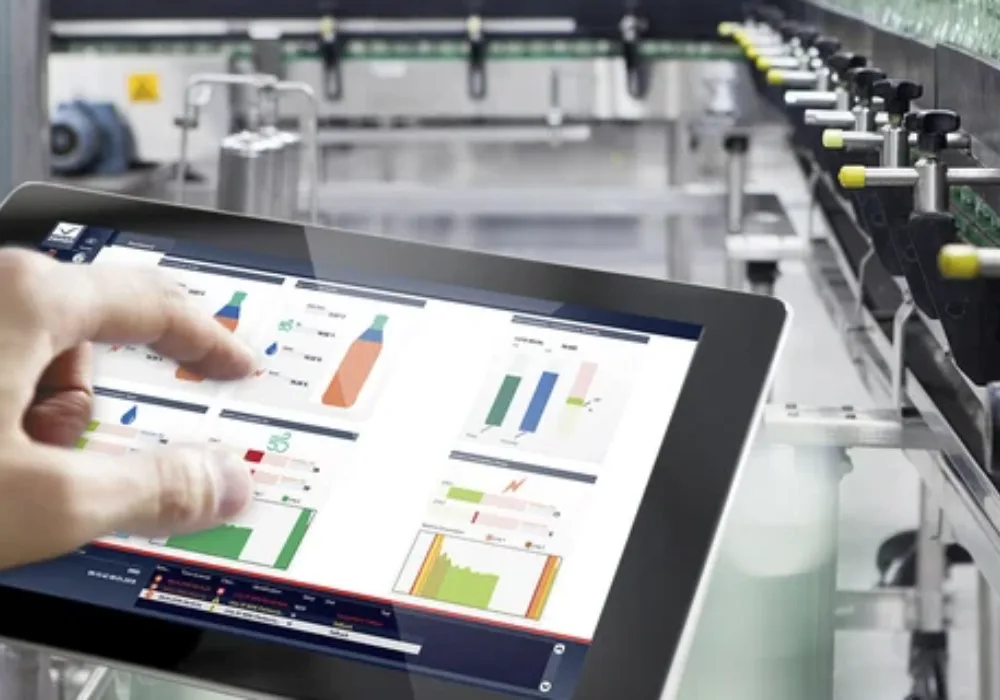
HMI stands for Human Machine Interface. It's the screen, panel, or dashboard that sits between a person and the machine or process that person is trying to run. Every switch, every touchscreen, every dial an operator actually touches is an HMI, but in industrial automation the term almost always means a dedicated graphical panel connected to a PLC, showing process status and accepting operator commands.
The basic loop is simple. Field sensors feed data into a PLC. The PLC processes that data. The HMI pulls it from the PLC and turns it into something a human can actually read, a tank level bar, a running pump icon, a trend graph. The operator looks at the screen, decides something needs to change, and sends a command back through the HMI to the PLC. That closed loop, sensor to PLC to HMI to operator and back, is the entire reason HMIs exist.
6 Essential Facts About HMI in Industrial Automation
Watch: What Is HMI, Human Machine Interface Explained
This video covers the basics of HMI and how it fits into an industrial control system.
HMI vs SCADA: What Actually Separates Them
This confusion between human machine interface and SCADA comes up constantly, and the table below settles it plainly.
| Feature | HMI | SCADA |
|---|---|---|
| Scope | One machine or local process | Entire facility or multiple sites |
| Typical connection | Direct to one PLC | Aggregates many PLCs, RTUs, and HMIs |
| Data historian | Limited or none | Central, long term data storage |
| Typical hardware | Touch panel or industrial monitor | Server-based software platform |
| Primary user | Machine operator | Control room operator, supervisor |
ISA-101 and Why HMI Design Is a Safety Issue, Not Just Aesthetics
Research from the Abnormal Situation Management Consortium found that poor HMI design contributes to more than 20 billion dollars a year in losses across the US process industry from abnormal situations alone. Operators on ASM-compliant, well-designed HMIs respond to alarms roughly 30 percent faster than operators on older, cluttered screens. That gap is exactly why ISA-101.01, the Human Machine Interfaces for Process Automation standard, exists.
The standard's biggest practical shift is the move to grayscale-based design. Older HMIs use bright color everywhere, red pumps, green valves, blue tanks, purely as decoration. ISA-101 reserves color specifically to mark abnormal conditions, keeping everything else in muted grays so a genuine problem actually stands out instead of blending into a screen that's already colorful by default.
| Display Level | What It Shows |
|---|---|
| Level 1: Overview | Entire plant or unit, showing only deviations from normal, typically 15 to 25 major items |
| Level 2: Process Area | One unit or area, showing all equipment and current operating mode |
| Level 3: Detail | Individual equipment with all tags, setpoints, trends, and alarms |
| Level 4: Diagnostic/Support | Maintenance, engineering, and diagnostic information, rarely used by operators directly |
A commonly cited design rule reinforces this hierarchy directly: if an operator needs more than three clicks to reach critical information during an emergency, the screen hierarchy needs redesigning. That's a genuinely testable, practical benchmark, not a vague aspiration.
Do's and Don'ts for HMI Selection and Design
- Design screen hierarchy around operator tasks, not the PLC's internal tag structure.
- Reserve bright color strictly for abnormal or alarm conditions, keeping normal operation visually calm.
- Limit overview screens to roughly 15 to 25 major equipment items to keep them genuinely scannable.
- Choose panel mount HMIs for dusty, vibration-heavy environments over consumer-grade touchscreens.
- Document an alarm philosophy so every alarm includes context, consequence, and a suggested action.
- Don't use bright colors decoratively across every normal-state graphic. It buries genuine alarms in visual noise.
- Don't require more than 3 clicks to reach critical information during an emergency scenario.
- Don't confuse an HMI with a full SCADA system when specifying a project, they solve different scope problems.
- Don't permanently silence a nuisance alarm without a documented management-of-change review.
- Don't copy a P&ID layout directly onto an HMI screen. Operator task flow, not drawing convention, should drive layout.
Where HMIs Are Actually Used
Machine-level touch panels control and monitor individual production stations.
HMIs manage chemical dosing, filtration, and pump control across treatment stages.
Control room HMIs give operators real-time visibility into generation and grid status.
Skid-mounted and control room HMIs monitor pressure, flow, and safety systems.
Onboard touchscreen HMIs let operators start, stop, and reroute AGVs and AMRs.
HMIs control mixing, batching, and packaging with hygienic panel mount designs.
Quick FAQs: What Is HMI
These are the questions engineers ask most often once HMI theory meets a real project.
External References
- AutomationDirect: HMI (Human Machine Interface) Overview
- PLC Programming: HMI Design Best Practices, ISA-101 Complete Guide
- Cyngn: Human-Machine Interface (HMI) in Factory Automation
What we learn today
- A human machine interface is the screen that connects an operator to a PLC, turning raw process data into something readable and sending operator commands back.
- HMI and SCADA solve different scope problems: HMI is machine or local level, SCADA is facility or enterprise level.
- ISA-101 exists because poor HMI design is a measurable, expensive safety problem, contributing to over $20 billion a year in US process industry losses.
- Grayscale-based design with color reserved for abnormal conditions, and a strict 4-level screen hierarchy, are the two biggest practical shifts modern HMI design makes.